
Why Phantom and Solana Changed How I Carry NFTs — and Why You Might Care
Why Phantom and Solana Changed How I Carry NFTs — and Why You Might Care


Whoa! This is one of those topics that feels simple until you actually dive in. I use Phantom every day. At first it was fun, then kinda messy, and now it’s my go-to for Solana NFTs because of speed and UX. My instinct said this would be another wallet, but actually it became a whole different workflow for managing digital collectibles.
Okay, so check this out—wallets used to be about storage only. Phantom is more like a tiny app ecosystem that lives in your browser and on your phone. It connects to marketplaces, handles tokens, and keeps your NFTs visible without constant refreshes or weird delays. On the other hand, that convenience has trade-offs, which I’ll get to in a bit. I’ll be honest: some parts still bug me, but the gains are real.
Seriously? The speed on Solana still surprises me. Transactions commonly finalize in seconds, not minutes. That low latency changes user behavior because you don’t hold your breath waiting for a confirmation. Initially I thought gas would be negligible, but then I realized that UX matters more than minimal fees when you do dozens of tiny actions. Also, Phantom’s UI nudges you toward faster choices, which is both good and a little manipulative… I mean, subtle nudges are part of the design.
Here’s the thing. Setting up a browser extension wallet like Phantom is straightforward for most people. You install, you seed your recovery phrase somewhere secure, and you’re in. But the onboarding assumptions are everywhere—for example, many guides expect you to already know how to seed-phrase backup properly. On one hand that’s fine for power users, though actually it’s terrible for newcomers who confuse screenshots, text files, and cloud backups. Something felt off about that gap when I helped a friend recover an account late one night.
Hmm… this is where human mistakes happen. I once saw someone store their seed phrase in an email draft. Yikes. Don’t do that. Use a hardware wallet for larger holdings or at minimum paper. For collectors with dozens of NFTs, a hardware-backed Phantom integration is worth considering. There are ways to pair physically secure devices, but the convenience vs security trade-off shows up every time you click “Approve.”
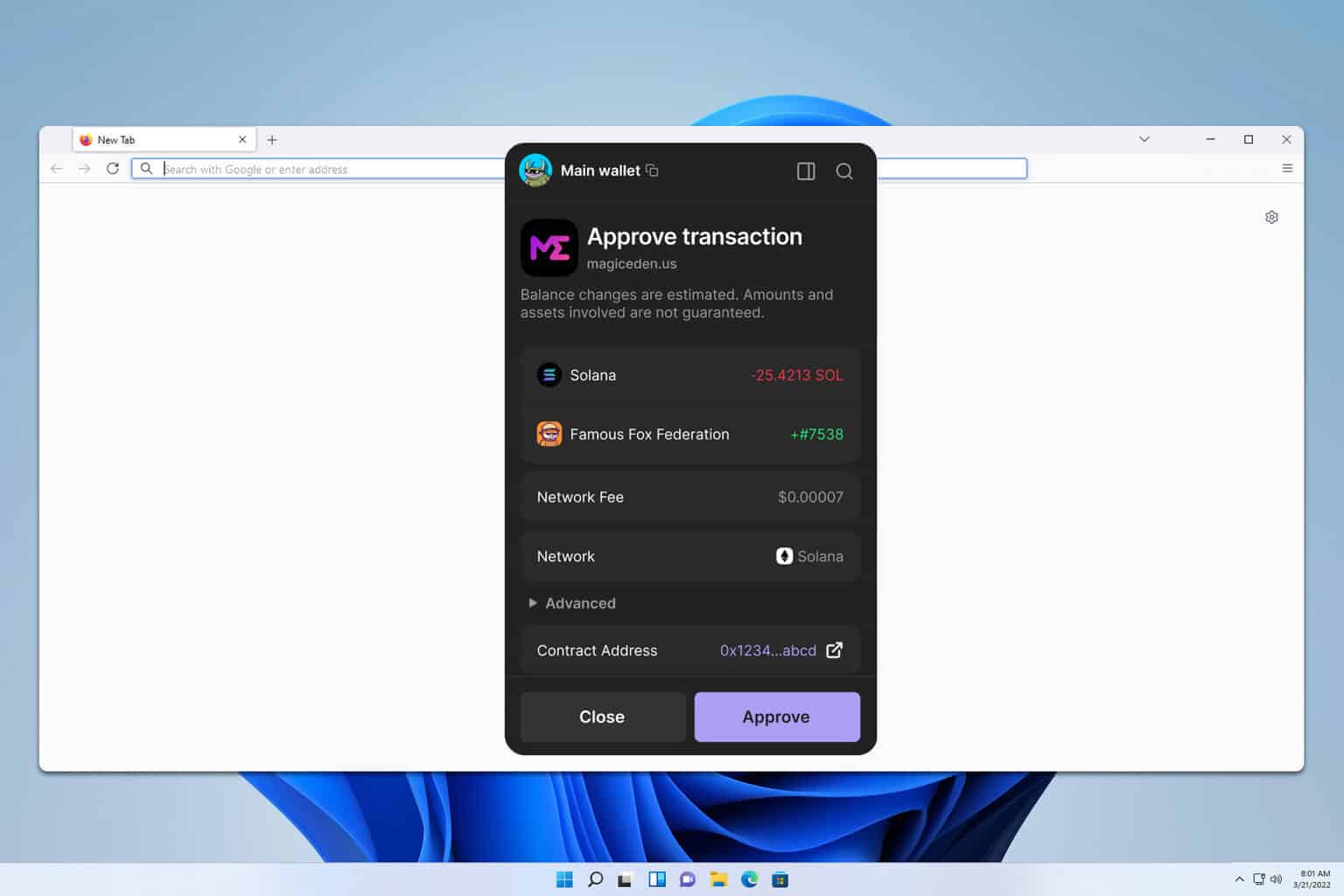
Short story: approvals pile up. You’ll get dozens per week if you’re active in minting or trading. Phantom lists recent approvals and you can revoke them, which is good. However, the revocation UI isn’t as obvious as it should be, so I often go hunting in the settings. My first impression was “easy,” though later I found myself digging for the revoke button like it was buried treasure.
On to NFTs specifically: Phantom treats NFTs as first-class assets in its portfolio, and that’s a big deal. Seeing art previews inline makes the experience feel tangible, like flipping through a physical binder of collectibles. The wallet caches thumbnails so they show instantly, though sometimes the metadata fetch fails and images go blank. If you know how metadata on Solana works, you can usually debug it—if you don’t, you might think the NFT is gone when it’s not. That little confusion is common and totally solvable, but annoying.
Initially I thought NFTs needed constant on-chain reads, but then realized much of the display relies on off-chain metadata endpoints. That introduces fragility because if the host goes down your art can vanish from galleries. On the other hand, many creators now pin to decentralized storage, which is better but not perfect. The takeaway: wallet UX is great for ownership illusions, but the underlying protocols still require vigilance.
Whoa! Check this out—if you want the extension, there’s an official place where I usually point people: phantom wallet download extension. It’s the one link I trust to send friends to when they ask how to get started. I mention that because phishing sites are everywhere, and the browser extension ecosystem is the first line of defense or attack depending on what you click.
There’s a neat trick I picked up: create a burner account for early mints and common interactions, then move high-value items to a cold wallet. This is simple in theory but needs disciplined tracking. I use naming conventions and tiny spreadsheets to keep track—very very nerdy, I know. But that system saved me when a project’s smart contract had a re-approval issue and I needed to revoke permissions quickly.
On governance and multisig: Phantom is primarily single-key by default, which is perfect for individual collectors but not ideal for projects. For teams or treasuries you’ll want a multisig overlay or a hardware-enforced policy. There are integrations that can help, though they sometimes require manual setup and a deeper understanding of policies. Initially I underestimated how many teams skip multisig until something goes wrong, and trust me, bad things happen fast when access is single-key.
Hmm… the companion mobile app deserves its own note. It mirrors extension functionality pretty closely and has push notifications for incoming transactions—handy when you’re out and about. Mobile keys are another risk vector though; if your phone is compromised, well, you know. Use OS-level security, not just app PINs. I’m biased toward a cautious setup: biometrics plus a backup plan involving a hardware wallet.
My take on tooling: explorers and portfolio trackers for Solana are improving, and Phantom integrates with several of them. That integration means richer insights without leaving the wallet, but again, you trade exposure to third-party services that can read public holdings. For some users that privacy trade-off is acceptable, for others it’s a dealbreaker. Honestly, the balance depends on whether you prioritize convenience or stealth.
Okay, a practical checklist for new users—short and usable. Back up your seed phrase offline. Use a burner for minting. Revoke approvals regularly. Consider a hardware wallet for anything you’d miss overnight. Watch where you click—phishing still trumps bad UX. These steps are not exhaustive, but they’ve helped me avoid rookie mistakes.
FAQ
How do I view my NFTs in the Phantom extension?
Open the wallet and go to the NFTs tab; thumbnails should load automatically, though if metadata fails you may need to refresh or check the token’s on-chain metadata URL—sometimes the images are hosted off-chain and need to be re-pinned or updated.
Can I use Phantom on both desktop and mobile?
Yes—there’s a browser extension and a mobile app that sync via your seed phrase or a secure link during setup; just remember the same risks apply across devices so secure both with good OS-level protections and consider hardware backup for high-value items.
Is Phantom safe for beginners?
It’s friendly and fast, but safeness depends on your habits—if you follow simple security practices (offline seed backup, cautious approvals, burner accounts for risky interactions) you’ll be far safer; novices should practice with small amounts first.


